BUSINESS CONSULTING + AI + HUMAN SUPPORT

AI Automation for Construction & Contractors

Keep the craft. Strengthen the coordination around it.

Years of experience on a job site should not be undermined by an estimate request buried in an inbox. Your team may know how to build, repair, and deliver, yet still spend evenings piecing together updates. Better administrative systems can support that experience without pretending software can replace professional judgment.

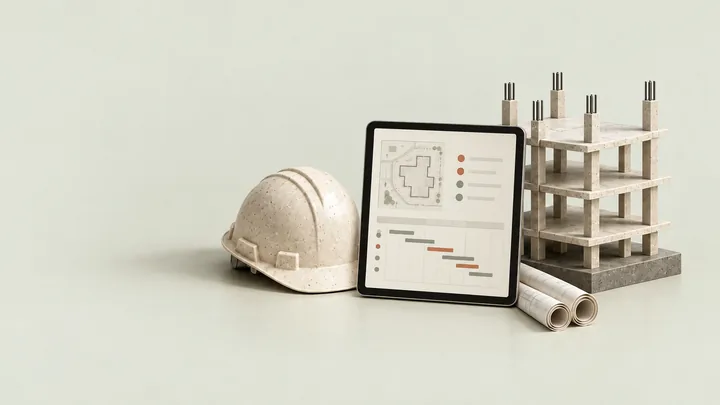
automation for construction site management dashboard
automation for construction site management dashboard.

BUILT AROUND YOUR BUSINESS

Good work deserves an office process that keeps up.

A contractor’s day rarely follows a neat sequence. A customer asks about a proposal while a supplier sends revised information and a site team needs an answer. The owner may be the only person who knows where each conversation stands. As work grows, that knowledge becomes harder to transfer without repeated calls and manual reminders.

AI automation for construction begins by making administrative responsibility visible. The aim is not to automate job-site decisions from a chat window. It is to organize incoming requests, identify the right record, and help office staff see which next action needs a person. A clearer filing convention or approval rule may be more useful than a new model.

VKTIS can help evaluate a combination of process consulting, connected business systems, customized AI, and separately scoped human support. Your authorized professionals retain estimating judgment, contractual decisions, safety responsibilities, and technical approvals. The technology should help them work with better context rather than create new commitments on their behalf.

WHERE FRICTION APPEARS

Start with the work your team recognizes.

The next estimate has no clear owner

A lead arrives by phone, a web form, or a forwarded message. Before assigning a site visit, the office needs a consistent description of the request and service-area fit. Define who reviews eligibility and what information is sufficient for the next conversation, without promising a price or start date.

Project information lives in several places

A folder, an email thread, and a spreadsheet may each contain part of the story. Construction workflow automation should establish document ownership, naming, access, and version rules. Connecting systems before clarifying those rules can distribute outdated information more efficiently.

Administrative follow-up falls after hours

Staff may spend the end of the day chasing missing paperwork or reconstructing a conversation. Make outstanding items visible during the working day with an owner and status. Reminders should support an agreed process, not turn a missing document into an assumed approval.

YOUR WORKFLOW / AT A GLANCE

From an incoming project inquiry to an office-owned next step.

This illustration covers administrative coordination, not engineering review, job-site safety, or autonomous project management.

ILLUSTRATIVE WORKFLOWNOT A LIVE SYSTEM OR CLIENT RESULT
Construction & contractors: a request, a verified context, and a responsible person.
  1. 01

    Capture the request

    Identify a new project inquiry, an existing-job update, or a document follow-up using approved intake fields.

  2. 02

    Organize the context

    Match the request to the correct project or customer record and flag missing or conflicting information.

  3. 03

    Route for a decision

    Assign the estimator, coordinator, or authorized manager who can confirm the next step.

New work inquiry

Collect the general project type and service location under approved rules. A person decides whether to assess the work and what a site visit requires.

Document follow-up

Request or flag an expected administrative item through a permitted channel. Do not certify a document, infer compliance, or silently replace an approved version.

Change or concern

Route scope changes, unusual costs, schedule commitments, and safety concerns to authorized personnel. A summary is not a change order, inspection, or technical approval.

Where people stay in control

Qualified people retain responsibility for safety, design, estimating, contract terms, permits, inspections, and change approvals. The assistant does not provide construction instructions or decide whether a site condition is safe.

CONSULTING + CUSTOMIZED AI + HUMAN SUPPORT

Different responsibilities. One coordinated process.

Consulting: establish the office process

Contractor business automation starts with the actual route from inquiry to review, not an idealized flowchart. We can map ownership, required information, existing tools, and common delays. The proposal should distinguish a process improvement from a software dependency and explain what remains manual.

AI: prepare context, not commitments

AI can help classify an administrative request, draft an internal summary, or identify a missing field for review. Outputs need appropriate verification, especially where a mistaken project reference could send information to the wrong person. A confident summary is not proof that the underlying records agree.

People: maintain accountable coordination

Your office staff or separately scoped remote assistants can organize queues, follow up on approved requests, and maintain administrative records. Construction administrative support needs clear supervision and permissions. A coordinator should know when to stop and ask a manager rather than infer an answer from incomplete notes.

ILLUSTRATIVE SCENARIO · NOT A CLIENT RESULT

In an illustrative remodeling business, a prospective customer requests an estimate while the owner is on a site visit. The workflow captures the approved general project details and checks the service-area rule. It creates a review task rather than quoting the job. The office coordinator sees that the preferred contact time is missing and follows up. The estimator then decides whether a visit is appropriate. If an existing customer submits a change request, it enters a different approval path instead of becoming a new sales lead.

SUPPORT BEYOND THE INITIAL SETUP

Help with the tasks around your core work.

Keep estimate inquiries moving

Organize new requests, track missing intake information, and coordinate approved callbacks for the estimator.

Maintain the administrative checklist

Track expected paperwork, record follow-up status, and flag document-version questions for authorized staff.

Support office-to-site coordination

Prepare task summaries and outstanding-item lists without making technical, contractual, or safety decisions.

Potential consulting and human-support tasks, not an unlimited staffing promise. Coverage, permissions, supervision, and deliverables are scoped individually.

IMPLEMENT WITH CARE

Make a small pilot useful before making it bigger.

Trace a real administrative handoff

Select estimate-request intake, document follow-up, or another narrow office workflow. Document the trigger, the responsible people, and the point at which a decision is required. Use representative examples with sensitive customer and project details removed.

Set project and access rules

Choose the authoritative project record and define how a request is matched to it. Review tool compatibility, document permissions, retention, and staff access. Confirm that suppliers, customers, subcontractors, and internal staff do not receive the same visibility by default.

Test misrouting and missing information

Include duplicate customers, similarly named projects, outdated documents, a changed address, and an unavailable connection. Verify that unresolved information reaches a person. A successful test includes the ability to decline an action when the project match is uncertain.

Document the working routine

Provide a clear operating guide, exception queue, and pause procedure. Train the people receiving tasks and agree review intervals. Expand the pilot only when the administrative process is reliable enough to support additional work without obscuring responsibility.

LOOK FOR EVIDENCE, NOT JUST ACTIVITY

Agree what an improvement would actually mean.

Inquiry ownership

Track eligible inquiries that have an assigned reviewer and a visible next action, not merely an automated acknowledgment.

Record matching

Review whether requests and documents reach the correct customer or project without creating duplicates.

Follow-up completion

Measure outstanding administrative items and whether reminders result in reviewed information rather than repeated messages.

Office effort

Compare the time spent reconstructing context with the effort needed to review, maintain, and correct the new workflow.

Measures depend on available evidence and the agreed scope. These are evaluation suggestions, not promised savings, conversion rates, or revenue results.

SCOPE, COSTS & BOUNDARIES

Improve coordination without disrupting the job.

A small contractor may need one consistent intake queue. A growing company may need separate estimating and project-administration responsibilities. A larger operation may require stronger access segmentation and staged integration. Each scope should reflect the people and tools involved rather than a promise of universal construction expertise.

The implementation proposal should separate discovery, configuration, integration, training, platform usage, and ongoing support. If the existing project software already supports a useful reminder or form, configuring that feature may be preferable to building another system. The right option is the one your team can operate and maintain.

Do not share confidential drawings, contract records, credentials, or sensitive customer details through a general introductory form. Technical document processing, bid preparation, regulated records, and safety-related use cases need additional review and may fall outside the proposed engagement. Administrative efficiency never removes professional accountability.

PREPARE A USEFUL FIRST CONVERSATION

Bring the real process.
Keep the sensitive details out.

Start by describing the administrative work that follows you home. Perhaps an estimate inquiry has to be copied into two systems, a supplier question waits in the wrong inbox, or a project update depends on reaching one particular person. Identify the handoff and the person who should own it. Do not begin by giving an assistant access to every project folder. A narrow, understandable workflow is easier to test and less likely to spread an error across unrelated jobs.

Your record structure deserves attention before integration. Similar customer names, multiple job sites, and revised documents can make matching more complicated than it appears. Agree the identifiers that distinguish projects and the conditions under which a person must review the match. Decide whether a new submission updates an existing request or creates another one. These rules may feel administrative, but they help prevent a neatly organized task from being attached to the wrong project.

Build the pilot around the realities of field work. A coordinator may receive a short message with missing context, while an estimator may be unavailable to review it immediately. The system should show what is known, what is missing, and who needs to respond. It should not fill a gap by assuming an approval, a date, or a technical conclusion. Where connectivity or software access is unreliable, define a workable manual route that does not lose the original request.

Before expanding, ask the office and field teams to walk through the result together. Can they find the next action? Can they identify the latest approved record? Do they know how to correct an incorrect match or pause a reminder? The handover should include those answers. The objective is not to replace your working knowledge with a dashboard; it is to make the administrative support around that knowledge more consistent and less dependent on memory.

BEFORE WE TALK

Questions about construction & contractors.

Can AI produce binding estimates or change orders?

That is not part of the default administrative workflow. Pricing, scope, contractual language, and approval authority require explicit controls and authorized human review. Preparing intake information is different from issuing a commitment.

Can you connect our project-management software?

We first check supported interfaces, account permissions, field definitions, and data quality. A connector may be suitable, but a manual handoff can be safer when the system does not support the required action reliably.

Can a remote assistant coordinate paperwork?

A separately scoped assistant may help track approved administrative requests and organize records. Define supervision, access, confidentiality, and escalation rules. They do not certify technical documents or replace licensed or qualified professionals.

Does this replace site supervision?

No. The examples focus on office coordination and inquiry handling. Site safety, technical instructions, inspections, and field decisions remain with the responsible qualified people.

What is a useful first pilot?

Choose one contained process with a visible owner, such as new estimate-request routing. Agree what information is collected, which exceptions require review, and how staff continue working if the automation is paused.

CONNECTED SERVICES

Explore the work behind the workflow.

Explore all eight industry starting points

YOUR NEXT STEP

Bring one handoff that should not depend on memory.

Start with the request, document, or callback that repeatedly gets lost between the office and the field. We can assess the process before recommending a tool.

Book a 15-minute intro callCheck your readiness

Scheduling opens on Cal.com. Keep introductory notes general and free of sensitive records.

BEFORE YOU CHOOSE

Questions to ask before implementation.

Understand the scope, the limits, and who owns the next step.

How do you choose the best AI automation for construction?

The best AI automation for construction fits how your office and job sites already share information. Start with one recurring handoff, such as change requests, subcontractor follow-up, or daily updates, and test it against real examples before expanding.

What can AI automation for construction companies realistically handle?

AI automation for construction companies can organize incoming requests, draft routine updates, remind people of open items, and prepare summaries for review. Pricing, safety decisions, contract changes, and site judgment stay with authorized people.